 开发者与 SEO 工具免费 Chrome 扩展
Ping — 网站响应时间
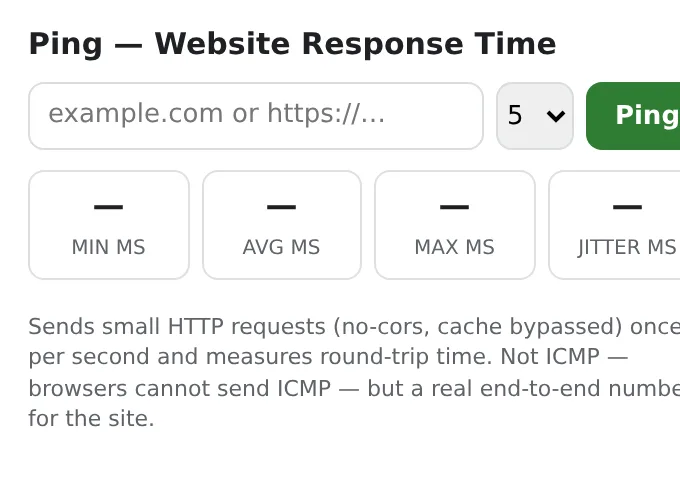
Ping any website from your browser: response time min/avg/max, jitter, failed requests and status — the current site in one click.
One small request per second, cache bypassed, 5-second timeout. No server, no account.
- 免费可用
- 免注册
- 本地运行
- 52+ 语言
支持 Chrome、Edge、Brave 和 Opera 浏览器
功能特性
One small request per second, cache bypassed, 5-second timeout. No server, no account.
- Current site pre-filled; type any host or URL.
- 5, 10, 20 or unlimited pings with a live per-request log.
- Min/avg/max, jitter and failure count.
- Runs from your browser, so you see what your users see.
如何使用 Ping — 网站响应时间
- Click the icon — the current site is already filled in.
- Choose how many pings and press Ping.
- Read the stats and the per-request log.
适用场景
- “Is it down or is it me?”
- Comparing hosting providers or CDN regions.
- Checking a VPN or Wi-Fi connection.
免费版与 Pro 版
每款扩展都有能满足日常需求的免费额度。没有试用倒计时,无需绑定信用卡。
$5.49/月$35.79/年$49.99 终身买断
随时取消。价格以美元显示;结账时将转换为当地货币。
常见问题
Is it a real ICMP ping?
No — browsers can't send ICMP; it measures HTTP round-trips, which is what web users actually experience.
Why does a site show failures but open fine?
Some servers reject HEAD or no-cors requests; the log shows which requests failed.
Ping — 网站响应时间 是免费的吗?
是的 — 免费版包含所有功能,每次安装可处理 3 个文件。如果需要更多,Pro 可以解除限制;一份 Pro 订阅适用于我们所有的扩展。
什么是 Pro?
一份可选的订阅服务($5.49/月、$35.79/年或 $49.99 买断),可解除全站所有扩展的免费限制。只有当你达到免费额度上限时才会看到它。
它会收集或发送我的数据吗?
它直接在你的浏览器和打开的网页中运行;无需注册账号,也没有任何数据分析。以上就是完整的权限列表。
支持 Edge、Brave 或 Opera 浏览器吗?
支持,任何基于 Chromium 的浏览器都可以从 Chrome 网上应用店安装扩展。
更多 开发者与 SEO 工具 扩展


技术细节与权限
本扩展仅申请实现功能所需的最低权限:
| 权限 | 用途 |
|---|---|
storage | 在本地保存你的设置。 |
activeTab | 仅在点击图标后对当前标签页生效。 |
identity | |
Site access | 扩展需要访问网页才能正常工作(见下表);它不会将网页内容发送到任何地方。 |