 Developer & SEO toolsFree Chrome extension
Ping — Website Response Time
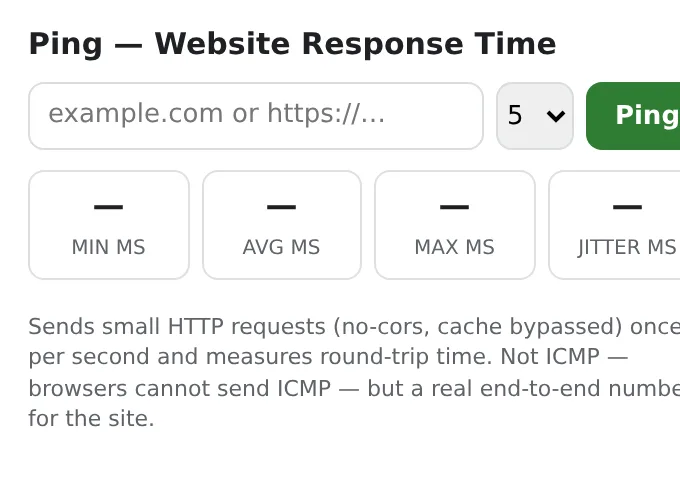
Ping any website from your browser: response time min/avg/max, jitter, failed requests and status — the current site in one click.
One small request per second, cache bypassed, 5-second timeout. No server, no account.
Add to Chrome — it's freeOfficial site →
- Free to try
- No account
- Works locally
- 52+ languages
Works in Chrome, Edge, Brave and Opera
What you get
One small request per second, cache bypassed, 5-second timeout. No server, no account.
- Current site pre-filled; type any host or URL.
- 5, 10, 20 or unlimited pings with a live per-request log.
- Min/avg/max, jitter and failure count.
- Runs from your browser, so you see what your users see.
How to use Ping — Website Response Time
- Click the icon — the current site is already filled in.
- Choose how many pings and press Ping.
- Read the stats and the per-request log.
When it comes in handy
- “Is it down or is it me?”
- Comparing hosting providers or CDN regions.
- Checking a VPN or Wi-Fi connection.
Free and Pro
Every extension has a free tier that does the job. No trial clock, no card.
$5.49/month$35.79/year$49.99 once, forever
Cancel anytime. Prices are shown in USD; local currencies at checkout.
Questions
Is it a real ICMP ping?
No — browsers can't send ICMP; it measures HTTP round-trips, which is what web users actually experience.
Why does a site show failures but open fine?
Some servers reject HEAD or no-cors requests; the log shows which requests failed.
Is Ping — Website Response Time free?
Yes — the free tier covers 3 files per installation with every feature. If you need more, Pro removes the limit; one Pro works in all our extensions.
What is Pro?
A single optional subscription ($5.49/month, $35.79/year or $49.99 once) that removes the free limits in every extension of the collection. You only see it when you hit a limit.
Does it collect or send my data?
It works inside the pages you open, in your browser; there is no account and no analytics. The permissions above are the full list.
Does it work in Edge, Brave, Opera?
Yes, any Chromium browser installs extensions from the Chrome Web Store.
More in Developer & SEO tools

Technical details and permissions
The extension asks only for what the feature needs:
| Permission | Why |
|---|---|
storage | Remember your settings locally. |
activeTab | Work on the current tab only after you click the icon. |
identity | |
Site access | The extension needs access to pages to do its job (see the table); it does not send page content anywhere. |
Type a host or URL (the current site is pre-filled), choose 5/10/20/∞ and press Ping: one small HEAD request per second in no-cors mode with the cache bypassed, round-trip measured with performance.now(), 5 s timeout. Shows min/avg/max/jitter, a per-request log with bars, and failed/timeout count as loss. Browsers cannot send ICMP, so this is HTTP response time — the number users actually feel. Recent hosts are remembered locally.
Permissions: activeTab (read the current tab's host when you click), storage (history), <all_urls> (Alt+Shift+P on any page opens a live latency panel for that site — HEAD probes every second with a sparkline).