 Developer at SEO toolsLibreng Chrome extension
Ping — Response Time ng Website
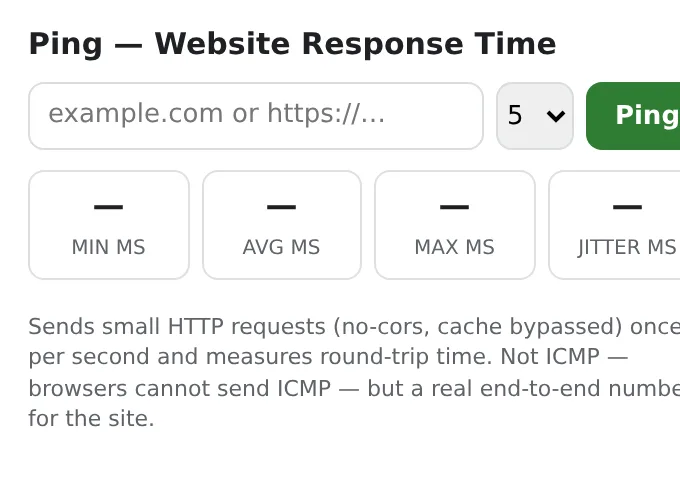
Ping any website from your browser: response time min/avg/max, jitter, failed requests and status — the current site in one click.
One small request per second, cache bypassed, 5-second timeout. No server, no account.
I-add sa Chrome — libre itoOfficial site →
- Libreng subukan
- Walang account
- Gumagana locally
- 52+ mga wika
Gumagana sa Chrome, Edge, Brave at Opera
Ano'ng makukuha mo
One small request per second, cache bypassed, 5-second timeout. No server, no account.
- Current site pre-filled; type any host or URL.
- 5, 10, 20 or unlimited pings with a live per-request log.
- Min/avg/max, jitter and failure count.
- Runs from your browser, so you see what your users see.
Paano gamitin ang Ping — Response Time ng Website
- Click the icon — the current site is already filled in.
- Choose how many pings and press Ping.
- Read the stats and the per-request log.
Kung kailan ito magagamit
- “Is it down or is it me?”
- Comparing hosting providers or CDN regions.
- Checking a VPN or Wi-Fi connection.
Free at Pro
Bawat extension may free tier na gumagawa ng trabaho. Walang trial clock, walang card.
$5.49/buwan$35.79/taon$49.99 minsan, panghabambuhay
I-cancel kahit kailan. Naka-USD ang presyo; local currencies sa checkout.
Mga Tanong
Is it a real ICMP ping?
No — browsers can't send ICMP; it measures HTTP round-trips, which is what web users actually experience.
Why does a site show failures but open fine?
Some servers reject HEAD or no-cors requests; the log shows which requests failed.
Libre ba ang Ping — Response Time ng Website?
Oo — sakop ng free tier ang 3 files kada installation sa bawat feature. Kung kailangan mo ng higit pa, tatanggalin ng Pro ang limit; gumagana ang isang Pro sa lahat ng extensions namin.
Ano ang Pro?
Isang optional na subscription ($5.49/buwan, $35.79/taon o $49.99 minsan) na nagtatanggal ng free limits sa bawat extension ng collection. Makikita mo lang ito kapag umabot ka sa limit.
Kinokolekta ba o ipinapadala ang data ko?
Gumagana ito sa loob ng pages na binubuksan mo, sa browser mo; walang account at walang analytics. Ang permissions sa itaas ang buong listahan.
Gumagana ba ito sa Edge, Brave, Opera?
Oo, kahit anong Chromium browser ay pwedeng mag-install ng extensions mula sa Chrome Web Store.
Iba pa sa Developer at SEO tools

Technical details at permissions
Hinihingi lang ng extension kung ano ang kailangan ng feature:
| Permission | Bakit |
|---|---|
storage | Tandaan ang settings mo locally. |
activeTab | Gumagana lang sa kasalukuyang tab pagkatapos mong i-click ang icon. |
identity | |
Site access | Kailangan ng extension ng access sa pages para gumana (tingnan ang table); hindi nito ipinapadala ang content ng page kahit saan. |