 Developer & SEO toolsFree Chrome extension
Headings — H1–H6 Outline for SEO
See the H1–H6 outline of any page and the SEO problems in it — missing or duplicate H1, skipped levels, empty headings.
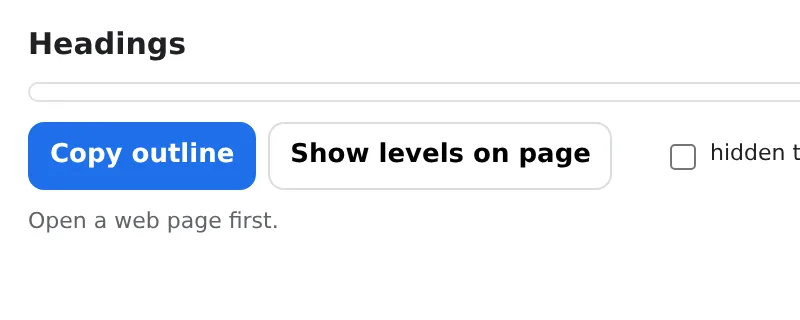
Indented tree with counts per level; copy as text for a report. Local, instant.
Add to Chrome — it's freeOfficial site →
- Free to try
- No account
- Works locally
- 52+ languages
Works in Chrome, Edge, Brave and Opera
What you get
Indented tree with counts per level; copy as text for a report. Local, instant.
- Full heading tree with per-level counts in one click.
- Checks: missing/multiple H1, skipped levels (H2 → H4), empty headings, first heading not H1, title and meta description.
- Click a heading to scroll to it on the page.
- Copy the outline as text; nothing is uploaded.
How to use Headings — H1–H6 Outline for SEO
- Open the page and click the icon.
- Read the tree and the flagged issues.
- Fix the headings and re-check.
When it comes in handy
- SEO audits of landing pages and articles.
- Content editors structuring a long post.
- Accessibility reviews: screen readers navigate by headings.
Free and Pro
Every extension has a free tier that does the job. No trial clock, no card.
$5.49/month$35.79/year$49.99 once, forever
Cancel anytime. Prices are shown in USD; local currencies at checkout.
Questions
Does it change the page?
No — it only reads the headings; nothing is modified.
Does it work on dynamic sites?
Yes — it reads the headings as they are rendered when you click.
Is Headings — H1–H6 Outline for SEO free?
Yes — the free tier covers 3 files per installation with every feature. If you need more, Pro removes the limit; one Pro works in all our extensions.
What is Pro?
A single optional subscription ($5.49/month, $35.79/year or $49.99 once) that removes the free limits in every extension of the collection. You only see it when you hit a limit.
Does it collect or send my data?
It works inside the pages you open, in your browser; there is no account and no analytics. The permissions above are the full list.
Does it work in Edge, Brave, Opera?
Yes, any Chromium browser installs extensions from the Chrome Web Store.
More in Developer & SEO tools

Technical details and permissions
The extension asks only for what the feature needs:
| Permission | Why |
|---|---|
activeTab | Work on the current tab only after you click the icon. |
scripting | Run the feature inside the page you clicked on. |
storage | Remember your settings locally. |
identity | |
Site access | The extension needs access to pages to do its job (see the table); it does not send page content anywhere. |
Click the icon to see the heading outline of the page as an indented tree with per-level counts, plus the checks SEO audits care about: missing or multiple H1, skipped levels (H2 → H4), empty headings, first heading not H1, title and meta-description presence. Click a heading to scroll to it, copy the outline as text, or overlay H1–H6 labels directly on the page.
Permissions: activeTab + scripting (full audit when you click the icon), storage, <all_urls> (Alt+Shift+H on any page opens a navigable heading outline with structure warnings). No network.