 개발자 및 SEO 도구무료 Chrome 확장 프로그램
Headings — SEO용 H1–H6 개요
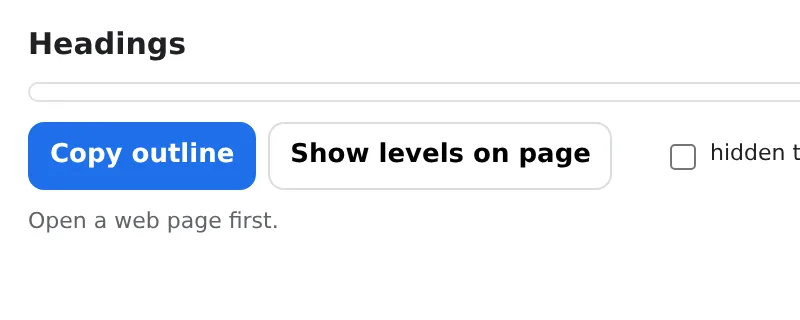
See the H1–H6 outline of any page and the SEO problems in it — missing or duplicate H1, skipped levels, empty headings.
Indented tree with counts per level; copy as text for a report. Local, instant.
- 무료 사용
- 계정 불필요
- 로컬에서 작동
- 52+ 언어
Chrome, Edge, Brave, Opera에서 작동
제공되는 기능
Indented tree with counts per level; copy as text for a report. Local, instant.
- Full heading tree with per-level counts in one click.
- Checks: missing/multiple H1, skipped levels (H2 → H4), empty headings, first heading not H1, title and meta description.
- Click a heading to scroll to it on the page.
- Copy the outline as text; nothing is uploaded.
Headings — SEO용 H1–H6 개요 사용 방법
- Open the page and click the icon.
- Read the tree and the flagged issues.
- Fix the headings and re-check.
이럴 때 유용합니다
- SEO audits of landing pages and articles.
- Content editors structuring a long post.
- Accessibility reviews: screen readers navigate by headings.
무료 및 Pro
모든 확장 프로그램은 기본 기능을 무료로 제공합니다. 체험 기간 제한이나 카드 등록이 없습니다.
월 $5.49연 $35.79$49.99 1회 결제, 평생 소장
언제든 취소 가능합니다. 가격은 USD 기준이며, 결제 시 현지 통화가 적용됩니다.
자주 묻는 질문
Does it change the page?
No — it only reads the headings; nothing is modified.
Does it work on dynamic sites?
Yes — it reads the headings as they are rendered when you click.
Headings — SEO용 H1–H6 개요은(는) 무료인가요?
네, 무료 버전으로 모든 기능을 설치당 파일 3개까지 사용할 수 있습니다. 더 필요하다면 Pro로 제한을 해제하세요. 하나의 Pro로 모든 확장 프로그램을 이용할 수 있습니다.
Pro란 무엇인가요?
전체 컬렉션의 모든 확장 프로그램에서 무료 제한을 해제하는 단일 선택형 구독(월 $5.49, 연 $35.79 또는 1회 $49.99)입니다. 제한에 도달했을 때만 표시됩니다.
내 데이터를 수집하거나 전송하나요?
브라우저에서 연 페이지 내에서 작동합니다. 계정이나 분석 도구가 없습니다. 위의 권한이 전체 목록입니다.
Edge, Brave, Opera에서도 작동하나요?
네, Chromium 기반 브라우저라면 Chrome 웹 스토어에서 확장 프로그램을 설치할 수 있습니다.
개발자 및 SEO 도구의 다른 확장 프로그램

기술적 세부 정보 및 권한
이 확장 프로그램은 기능 작동에 필요한 권한만 요청합니다:
| 권한 | 이유 |
|---|---|
activeTab | 아이콘을 클릭한 후에만 현재 탭에서 작동합니다. |
scripting | 클릭한 페이지 내에서 기능을 실행합니다. |
storage | 설정을 로컬에 저장합니다. |
identity | |
Site access | 기능을 수행하기 위해 페이지 접근 권한이 필요합니다(표 참조). 페이지 콘텐츠를 외부로 전송하지 않습니다. |