Home › Ontwikkelaars- & SEO-tools
 Ontwikkelaars- & SEO-toolsGratis Chrome-extensie
Headings — H1–H6-overzicht voor SEO
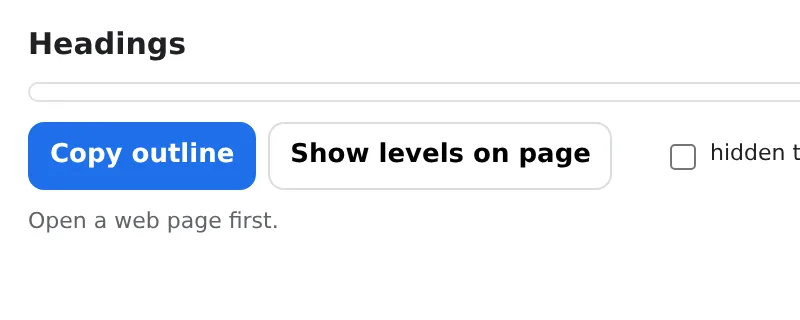
See the H1–H6 outline of any page and the SEO problems in it — missing or duplicate H1, skipped levels, empty headings.
Indented tree with counts per level; copy as text for a report. Local, instant.
Toevoegen aan Chrome — het is gratisOfficiële site →
- Gratis te gebruiken
- Geen account
- Werkt lokaal
- 52+ talen
Werkt in Chrome, Edge, Brave en Opera
Wat je krijgt
Indented tree with counts per level; copy as text for a report. Local, instant.
- Full heading tree with per-level counts in one click.
- Checks: missing/multiple H1, skipped levels (H2 → H4), empty headings, first heading not H1, title and meta description.
- Click a heading to scroll to it on the page.
- Copy the outline as text; nothing is uploaded.
Hoe gebruik je Headings — H1–H6-overzicht voor SEO
- Open the page and click the icon.
- Read the tree and the flagged issues.
- Fix the headings and re-check.
Wanneer dit van pas komt
- SEO audits of landing pages and articles.
- Content editors structuring a long post.
- Accessibility reviews: screen readers navigate by headings.
Gratis en Pro
Elke extensie heeft een gratis versie die het werk doet. Geen proefperiode, geen creditcard.
$5.49/maand$35.79/jaar$49.99 eenmalig, voor altijd
Annuleer op elk moment. Prijzen zijn in USD; lokale valuta bij het afrekenen.
Veelgestelde vragen
Does it change the page?
No — it only reads the headings; nothing is modified.
Does it work on dynamic sites?
Yes — it reads the headings as they are rendered when you click.
Is Headings — H1–H6-overzicht voor SEO gratis?
Ja — de gratis versie dekt 3 bestanden per installatie met elke functie. Heb je meer nodig, dan verwijdert Pro de limiet; één Pro werkt in al onze extensies.
Wat is Pro?
Eén optioneel abonnement ($5.49/maand, $35.79/jaar of eenmalig $49.99) dat de gratis limieten in elke extensie van de collectie verwijdert. Je ziet dit pas als je een limiet bereikt.
Verzamelt of verstuurt het mijn gegevens?
Het werkt in de pagina's die je opent, in je browser; er is geen account en geen analytics. De machtigingen hierboven vormen de volledige lijst.
Werkt het in Edge, Brave, Opera?
Ja, elke Chromium-browser installeert extensies uit de Chrome Web Store.
Meer in Ontwikkelaars- & SEO-tools

Technische details en machtigingen
De extensie vraagt alleen om wat de functie nodig heeft:
| Machtiging | Waarom |
|---|---|
activeTab | Werkt alleen op het huidige tabblad nadat je op het icoontje klikt. |
scripting | Voert de functie uit binnen de pagina waarop je hebt geklikt. |
storage | Onthoudt je instellingen lokaal. |
identity | |
Site access | De extensie heeft toegang tot pagina's nodig om te werken (zie tabel); het stuurt nergens pagina-inhoud naartoe. |