דף הבית › כרטיסיות ופרודוקטיביות
 כרטיסיות ופרודוקטיביותתוסף חינמי ל-Chrome
Pomodoro Timer — טיימר ריכוז
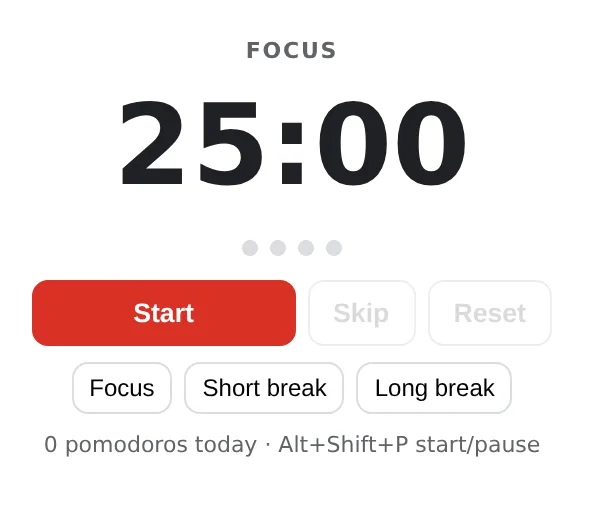
25 minutes of focus, 5 of rest — the countdown lives on your toolbar icon.
Chime and notification at each phase, long break every four, today's count in the popup. Works offline.
הוספה ל-Chrome — זה בחינםהאתר הרשמי →
- התנסות בחינם
- ללא חשבון
- פועל מקומית
- 52+ שפות
פועל ב-Chrome, Edge, Brave ו-Opera
מה מקבלים
Chime and notification at each phase, long break every four, today's count in the popup. Works offline.
- Minutes left shown right on the icon — no tab to keep open.
- All lengths configurable; long break after four sessions.
- Notification plus a chime so you notice even in another window.
- Alt+Shift+P starts and pauses; daily stats stay on your device.
איך להשתמש ב-Pomodoro Timer — טיימר ריכוז
- Click the icon or press Alt+Shift+P to start a session.
- Work until the chime; take the break it offers.
- Check today's completed pomodoros in the popup.
מתי זה שימושי
- Writing, studying or coding in blocks without checking the clock.
- Breaking a dreaded task into one 25-minute start.
- Remembering to actually stand up between sessions.
חינם ו-Pro
לכל תוסף יש מסלול חינמי שעושה את העבודה. בלי שעון עצר לניסיון, בלי כרטיס אשראי.
$5.49/חודש$35.79/שנה$49.99 תשלום חד-פעמי, לתמיד
ביטול בכל עת. המחירים מוצגים ב-USD; מטבעות מקומיים בקופה.
שאלות נפוצות
Does the timer survive closing the popup?
Yes — it runs on browser alarms, so it keeps going even when Chrome suspends the extension.
Can I change 25/5?
Yes: focus, short and long break lengths and the cycle count are all adjustable.
האם Pomodoro Timer — טיימר ריכוז בחינם?
כן — המסלול החינמי מכסה 3 קבצים לכל התקנה עם כל התכונות. אם תצטרכו יותר, מנוי Pro מסיר את ההגבלה; מנוי Pro אחד פועל בכל התוספים שלנו.
מה זה Pro?
מנוי אופציונלי יחיד ($5.49/חודש, $35.79/שנה או $49.99 חד-פעמי) שמסיר את ההגבלות החינמיות בכל תוסף באוסף. תראו אותו רק כשתגיעו למגבלה.
האם הוא אוסף או שולח את הנתונים שלי?
הוא פועל בתוך הדפים שאתם פותחים, בדפדפן שלכם; אין חשבון ואין כלי ניתוח (אנליטיקה). ההרשאות למעלה הן הרשימה המלאה.
האם זה עובד ב-Edge, Brave ו-Opera?
כן, כל דפדפן מבוסס Chromium יכול להתקין תוספים מחנות האינטרנט של Chrome.
עוד ב-כרטיסיות ופרודוקטיביות
 Pro זמין
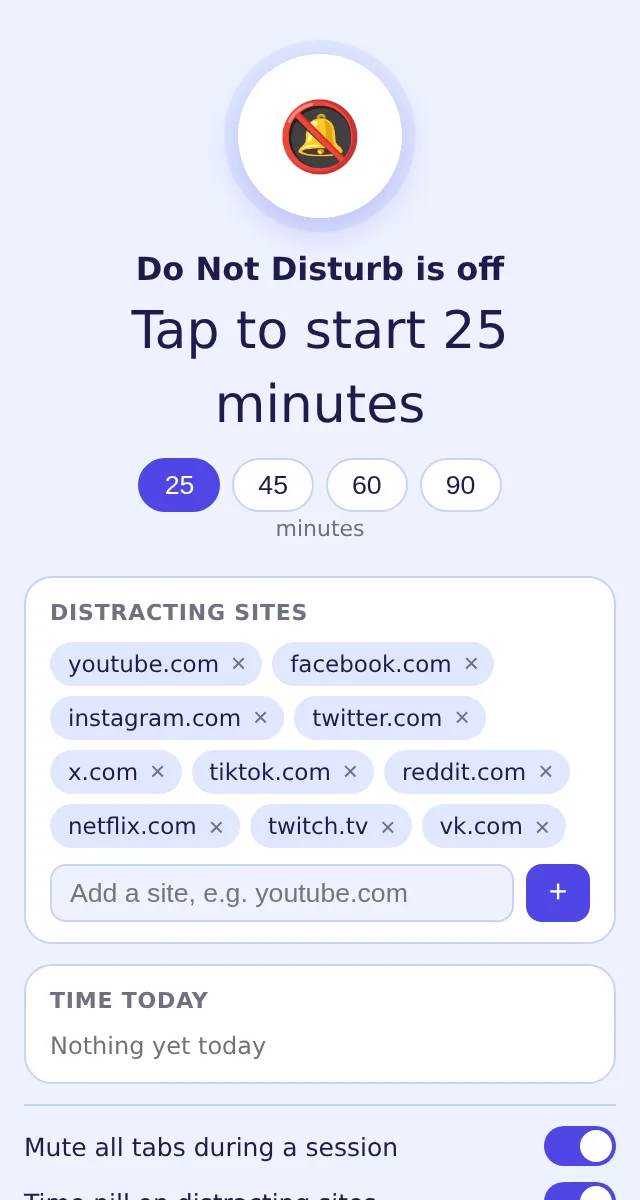
 נא לא להפריע — מצב ריכוז ל-Chromeלחיצה אחת משתיקה את כל הכרטיסיות ומכסה אתרים מסיחים במסך «נא לא להפריע» ל-25–90 דקות; האתרים מציגים את הזמן היום.
 Pro זמין
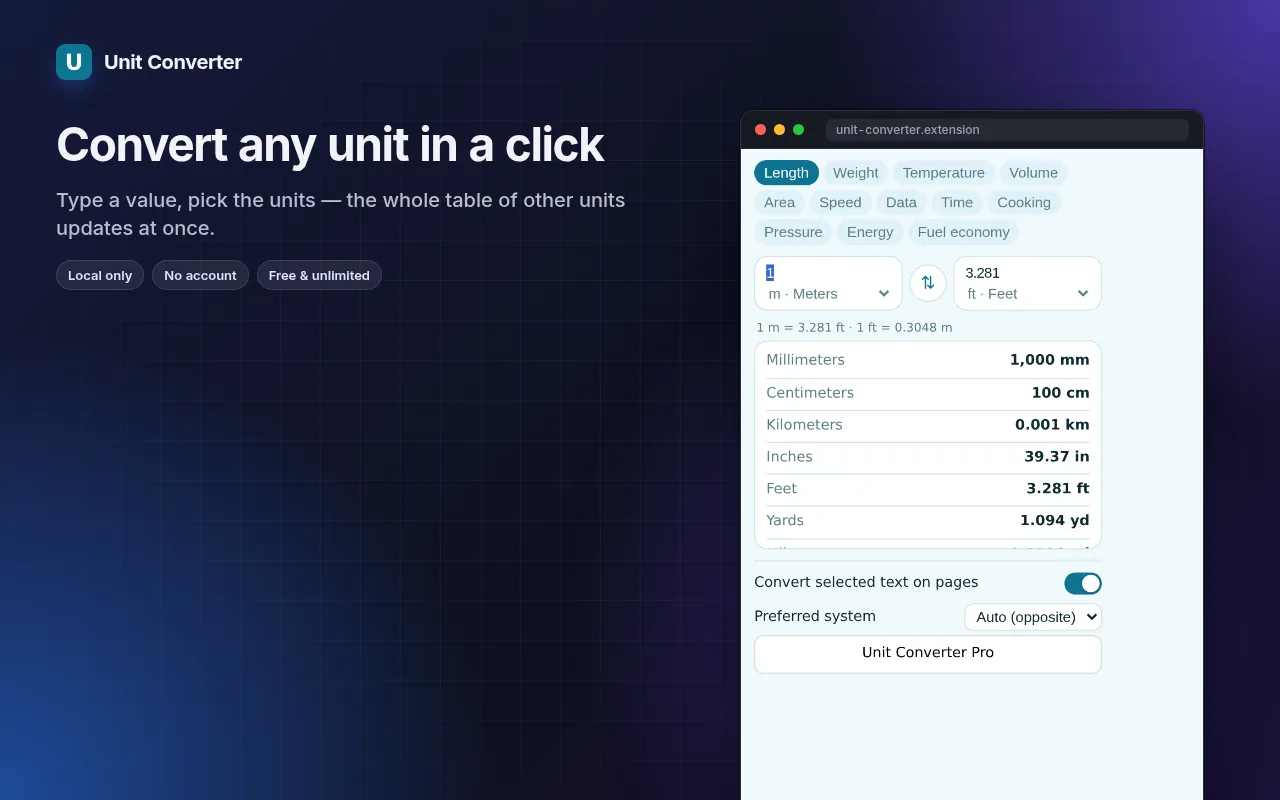
 ממיר יחידותהמרת אורך, משקל, טמפרטורה, נפח, שטח, מהירות, נתונים, זמן ויחידות בישול. סמנו כל מידה בדף כדי להמיר אותה.
 Pro זמין
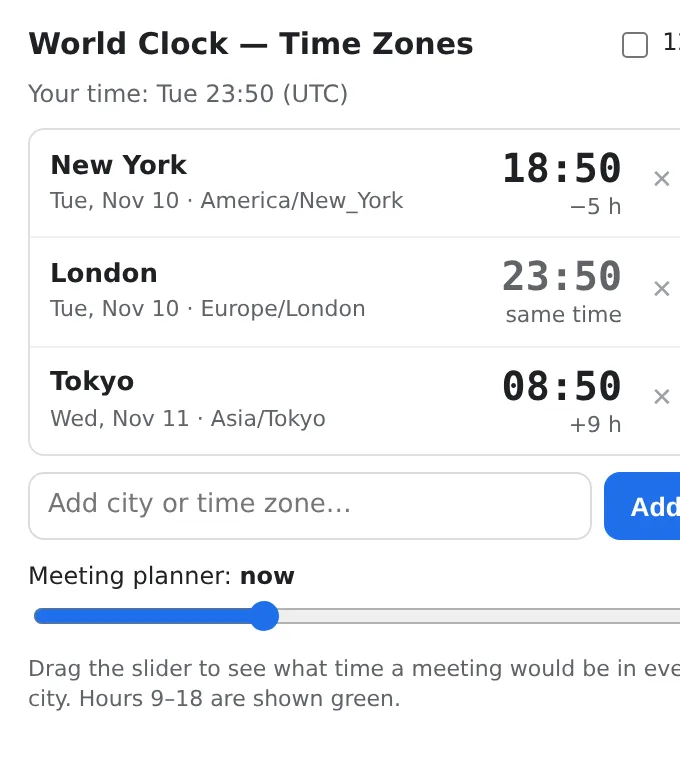
 שעון עולמי — אזורי זמןשעון עולמי לערים שלך: השעה הנוכחית, התאריך וההפרש בכל אזור זמן, יום/לילה ומתכנן פגישות למציאת שעה משותפת.
פרטים טכניים והרשאות
התוסף מבקש רק את מה שהתכונה צריכה:
| הרשאה | למה |
|---|---|
storage | שומר את ההגדרות שלכם מקומית. |
alarms | טיימרים ותזמונים בזמן שהחלונית הקופצת סגורה. |
notifications | התראות שולחן עבודה שאתם מאפשרים. |
offscreen | מעבד אודיו או תמונות בדף נסתר (דרישה של Manifest V3). |
identity | |
Site access | התוסף זקוק לגישה לדפים כדי לבצע את עבודתו (ראו בטבלה); הוא לא שולח את תוכן הדף לשום מקום. |